As you guys all know, I’m currently using Ubuntu 24.04.4.
Unlike windows or macOS, Ubuntu forces you to use ssh over https when cloning remote repos from github.
I was a bit confused, because sometimes I would have to use ssh to git clone and sometime downloading via https would be allowed.
After inspecting keenly, I found out that downloading private repos enforces ssh and the public repos don’t.
This is what happens when git cloning a private repo via https on Ubuntu or any distro really.
$ git clone https://github.com/hwkim301/blog.git
Cloning into 'blog'...
Username for 'https://github.com': hwkim301
Password for 'https://hwkim301@github.com':
remote: Invalid username or token. Password authentication is not supported for Git operations.
fatal: Authentication failed for 'https://github.com/hwkim301/blog.git/'
Even if you’ve entered the password, github will request password authentication.
You’ll need to create a ssh key.
Creating a ssh key can be achieved by using the ssh-keygen command.
The -t flag is used to specify the type of key and the -b flag sets the number of bits for the key.
ssh-keygen also has a man page, so feel free to check that out.
$ ssh-keygen -t rsa -b 4096
Generating public/private rsa key pair.
Enter file in which to save the key (/home/hwkim301/.ssh/id_rsa):
Enter passphrase (empty for no passphrase):
Enter same passphrase again:
Your identification has been saved in /home/hwkim301/.ssh/id_rsa
Your public key has been saved in /home/hwkim301/.ssh/id_rsa.pub
The key fingerprint is:
SHA256:WyM96T3+/+DKjwXBfM75Z7oQcG8ZNj1RsBpSMufELlc hwkim301@ubuntu
The key's randomart image is:
+---[RSA 4096]----+
|          o.+ .oo|
|           X. Eo.|
|          o.B.*..|
|         ..=oX =.|
|        S *o+ B  |
|         = + + . |
|        . . + o +|
|           o * +.|
|            =+*o+|
+----[SHA256]-----+
You can see that some files related to authentication were generated.
$ ls -l ~/.ssh/
total 8
-rw------- 1 hwkim301 hwkim301    0 May 15 14:58 authorized_keys
-rw------- 1 hwkim301 hwkim301 3381 May 15 21:50 id_rsa
-rw-r--r-- 1 hwkim301 hwkim301  741 May 15 21:50 id_rsa.pub
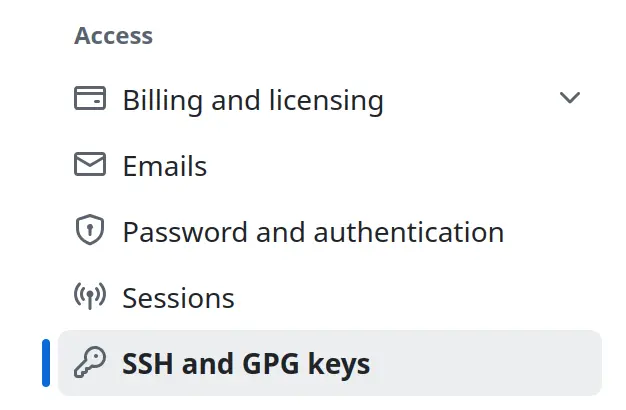
Now go to your github account and click settings-> SSH and GPG keys.
Click on New SSH keys and upload your id_rsa.pub file.
I actually find using ssh to git clone a bit uncomfortable, because ssh is way slower in https.
Here’s a post from github explaining why they now enforce ssh when authenticating private repos.
TLDR, way too many hackers peeking at your credentials…
If you’ve tossed your ssh-key to github, you’ll be able to git clone with ssh but it will be extremely slow compared to https.
In order to speed up the git clone process with ssh you’ll have to use create a token on github.
Here’s a guide from github on how to create tokens.
You should read github’s guideline meticulously, but since most of us are lazy I’ll just guide you through it.
Click on your profile, and on the bottom left you’ll see Developer settings.
Click Developer settings.
Then you’ll see three options(GitHub Apps, OAuth Apps and Personal access tokens) on the left.
Click on Personal access tokens and click Generate new token, it’s on the top right.
There will be multiple checkboxes, checking the repo checkbox should be enough.
Don’t forget to name your token.
If you’ve created a token run the following command in the terminal.
$ git config --global credential.helper
store
If it returns store that means the token is saved.